Popular Hashtags on Instagram: No Official List, 5-Tag Cap
Quick answer
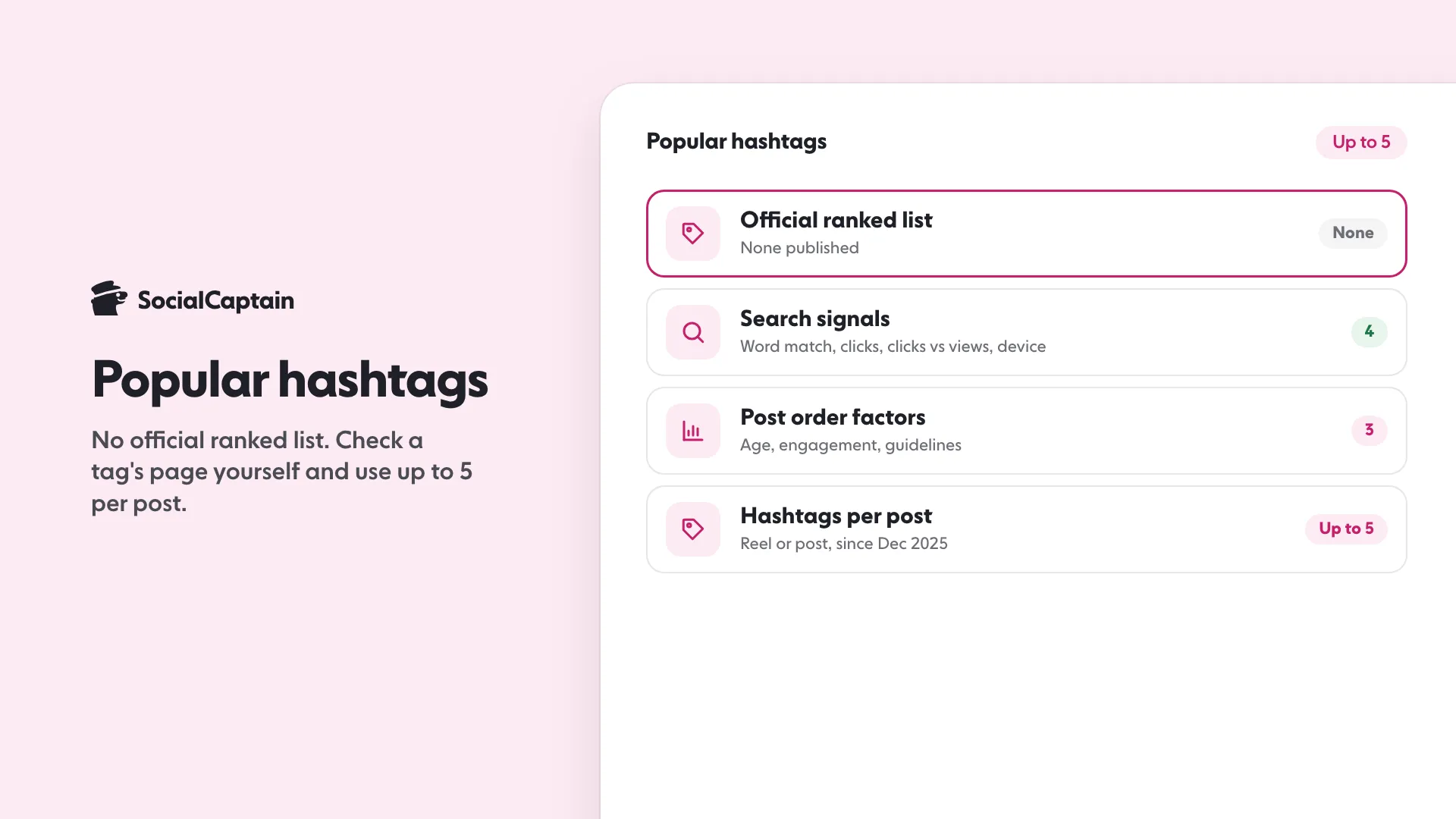
Instagram publishes no ranked list of popular hashtags. Its search uses 4 signals for hashtag results: word similarity, clicks in your country, clicks against views and device type. Use up to 5 hashtags on a post or reel.
- No official ranked list or post counts on Instagram's pages.
- 4 named hashtag search signals, none of them a total post count.
- Up to 5 hashtags on a post or reel.
On this page 12 sections
Instagram does not publish a list of its most popular hashtags. On November 18, 2026, the day this guide was refreshed, none of the Instagram and Meta pages we opened gave a ranked list or a post count for any tag. What Instagram does publish is how its search treats hashtags: 4 signals, the factors that order posts in hashtag results and the 5-hashtag cap on every post and reel. This guide gives you those facts, a 5-step way to read how busy any tag is in your own app, and a record sheet so your numbers carry a date.
If you came for a copy-paste list of “top 100” hashtags, the honest answer is that any such list is a snapshot someone took from an app on one day, and Instagram does not stand behind it. A better use of ten minutes is to check the tags that fit your post. For choosing which 5, see best hashtags for Instagram.
What are the most popular hashtags on Instagram?
There is no official answer. Instagram’s help center, its announcements and Meta’s search transparency page describe how hashtags are found and shown, but none of the pages we opened names a most-used tag or gives a total number of posts for one.
The pages do use hashtags as examples, and these are examples, not rankings:
- #flower appears in Instagram’s help center as the example of a hashtag you type in a caption.
- #space appears in its post on how Search works, to show that “results like @space and #space show up because ‘space’ appears in their name”.
- #onthetable, #slime and #floralnails are named in Instagram’s 2017 announcement of following hashtags, as examples of topics. That post gives no post counts. The one figure it mentions is that “millions of people share photos and videos” each day.
Treat any ranked list on another site, with counts such as “12.4M posts”, as unverified. It may have been accurate on the day it was read, but Instagram does not publish it, counts change daily, and the list cannot tell you whether a tag suits your account.
Why Instagram does not need to publish one
Instagram’s own description of search is about matching, not ranking tags by size. In its post on how Search works, it says that when you type in the search bar “we show you accounts, audio, hashtags, and places that match the text of your search”. The text you type is the starting point, and popularity is one input among several.
How does Instagram decide which hashtags to show?
Meta’s search transparency page, updated June 23, 2026, lists the signals used when you type a hashtag into search. The four signals named for hashtag results are:
| Signal | What Instagram says |
|---|---|
| Word match | “The similarity between the words used in your search and those in the hashtag” |
| Clicks in your country | How many times the hashtag has been clicked by people performing the same search in your country |
| Clicks against views | The same clicks, compared to the number of times the hashtag has been viewed |
| Device | Which device platform you are using, such as the web, Android or iOS |
Instagram’s earlier post on how Search works adds a general line on popularity: popularity signals “include the number of clicks, likes, shares and follows for a particular account, hashtag or place”. It also says it usually shows “accounts and hashtags you follow or visit higher than those you don’t”.
Read those together and a clear picture comes out. The popularity Instagram measures for a hashtag in search is about clicks and views, not about how many posts have used the tag. A tag with a huge number of posts and few searchers clicking it is not “popular” in this sense. A tag that people in your country search for and click is.
What the pages do not say is that a post using a high-volume tag gets more reach. Instagram has not published anything that ties a tag’s total post count to the reach of a post that uses it.
How do you check how popular a hashtag is yourself?
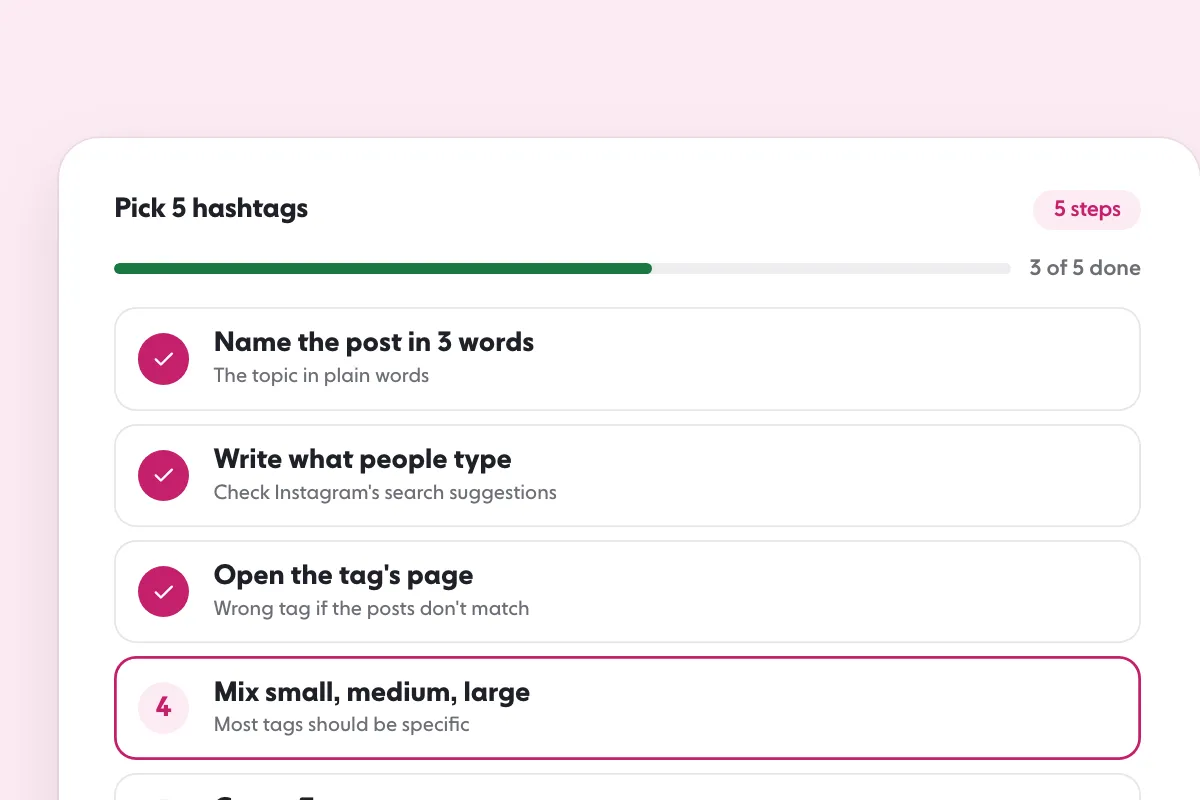
Instagram has not described a single “popularity” number, so the fair way to measure is to look at the tag’s page the same way a searcher would. These steps use only features Instagram’s help center describes: searching for a hashtag, opening its page and reading its sections.
- Search the hashtag. Open the search tab and type the tag without spaces, for example the word you would use in a caption. Instagram says search shows hashtags whose names match your text.
- Open the tag’s page. Instagram’s help center says you reach a hashtag page by tapping a hashtag under a post or by searching for it.
- Look at the first posts. Instagram’s page on hashtag results says several factors determine the order of posts: when the post was shared, how others engage with it and whether it meets Recommendation Guidelines. So the first posts you see are not simply the newest or the biggest. Note whether they match the topic you want to post about.
- Check how old the posts are. Scroll a little and notice the dates. Because post age is one of the listed factors, a page full of posts shared minutes or hours ago suggests a busy tag, and a page of posts that are days old suggests a quiet one. That is our reading, not an Instagram rule, and Instagram does not give the weights.
- Write down what you see and the date. If your app version shows a number of posts on the tag page, record it. Instagram’s help pages do not describe one, so do not assume every version shows it.
That fifth step matters more than it looks. Because the counts are not published and change constantly, a number with no date is worthless a week later. The sheet below keeps your readings useful.
| Hashtag | Date read | Count shown (if any) | How old are the first posts? | Do the posts look like mine? |
|---|---|---|---|---|
| (your tag) | (date) | (number or “none shown”) | Minutes / hours / days | Yes / No |
Re-read the same tags every month. A tag whose first posts used to be hours old and are now days old has gone quiet, which you cannot learn from a static list.
Is a bigger hashtag better?
Not by anything Instagram has published. Three points from its own pages explain why a high-volume tag is not automatically the right choice.
Post age counts. Instagram lists “when the post was shared” first among the factors that order posts in hashtag results. On a very busy tag, a new post is fresh for a short time and then other people’s posts overtake it. That is our reading; Instagram has not published how long posts stay near the top or how the factors are weighed.
Engagement counts too. Instagram lists “how others engage with the post” as a second factor. A post on a huge tag competes with many more posts for that engagement. It does not describe how much engagement earns a place, so do not plan around a number.
Searchers need to match. Because the first signal for hashtag results is word similarity between what the person typed and the tag, a tag that names your topic specifically will be matched to people typing about that topic. A generic tag matches many more searches, but the post sits among a much larger set of posts using it.
Instagram publishes no official size tiers. Guides, including our own, often describe small, medium and large tags as a way to think about choice, but the cut-offs between them are not Instagram’s. Our best hashtags for Instagram guide covers how to pick a mix of the three.
What does the 5-hashtag cap mean for popular lists?
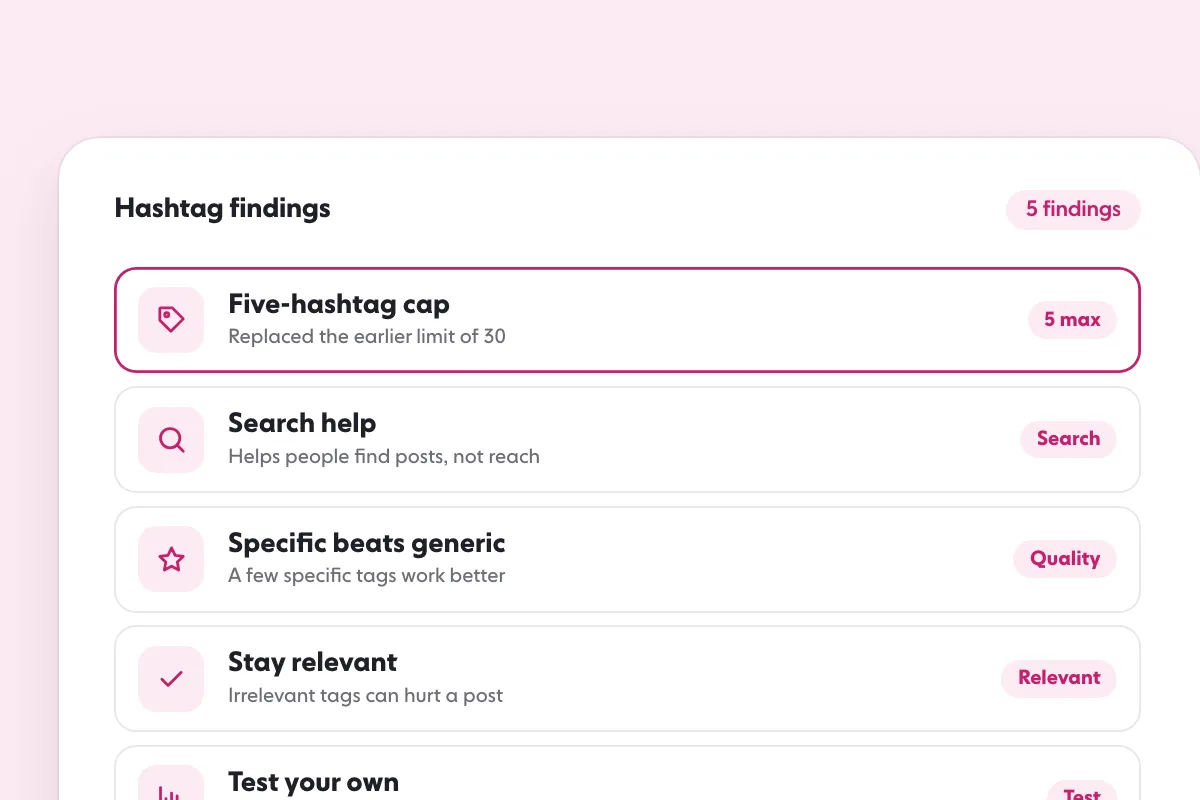
It means a list of 30 popular tags is no longer something you can paste. Instagram’s @creators account announced the change on 18 December 2025: “Starting today, Instagram will allow up to 5 hashtags in a reel or post.” The announcement names a reel or a post.
Instagram’s help page “Use hashtags on Instagram” says the same: you can use up to 5 tags on a post, and if you include more than 5 on a single photo or video, your comment won’t post. If your app rejects a comment with more than 5 tags, that is the cap at work.
The cap changes how you should read any popularity list:
- A list of 30 is now a menu. You choose up to 5 from it, so what matters is fit with your post, not the list’s total.
- One broad tag takes one of five slots. Spend it on a tag your audience actually searches, not on the biggest name.
- Repeating the same 5 on every post is a missed chance. Each post is about something slightly different, and a tag that suits one post may not suit the next. Our guide to Instagram hashtag mistakes covers placement and the other errors.
For a quick way to build a set of 5 from your topic, the free Instagram hashtag generator makes sets within the cap.
Which popular hashtags should you avoid?
Check before you use a tag that “everyone uses”. Instagram says: “Hashtags on Instagram may not be searchable if the text or the content associated with the hashtag consistently do not follow our Terms of Use or Community Standards.” Two things follow.
- A tag can be unsearchable. If you search it and the app shows no usable page, do not use it. See banned Instagram hashtags for the check.
- Posts can be removed from a tag’s results. Instagram says it may remove posts from hashtag search results if people use the hashtag for content that goes against its Community Standards. A tag where this happens is a poor place to put your post.
A third rule is about your own account. Instagram says that if your account is private and you add a hashtag, the post “won’t appear” on the hashtag page. A private account can use every popular tag there is and still not show up on its page.
Do hashtags help a post be found at all?
Yes, in the way Instagram describes: they are one of the things its search matches against. Its Search post lists “usernames, bios, captions, hashtags and places” as the items that text is matched with, and says text typed into the search bar is “by far the most important signal for Search”. Its tips for showing up in search are to use a fitting handle and profile name, to include relevant keywords and locations in your bio, and to use relevant keywords and hashtags in captions.
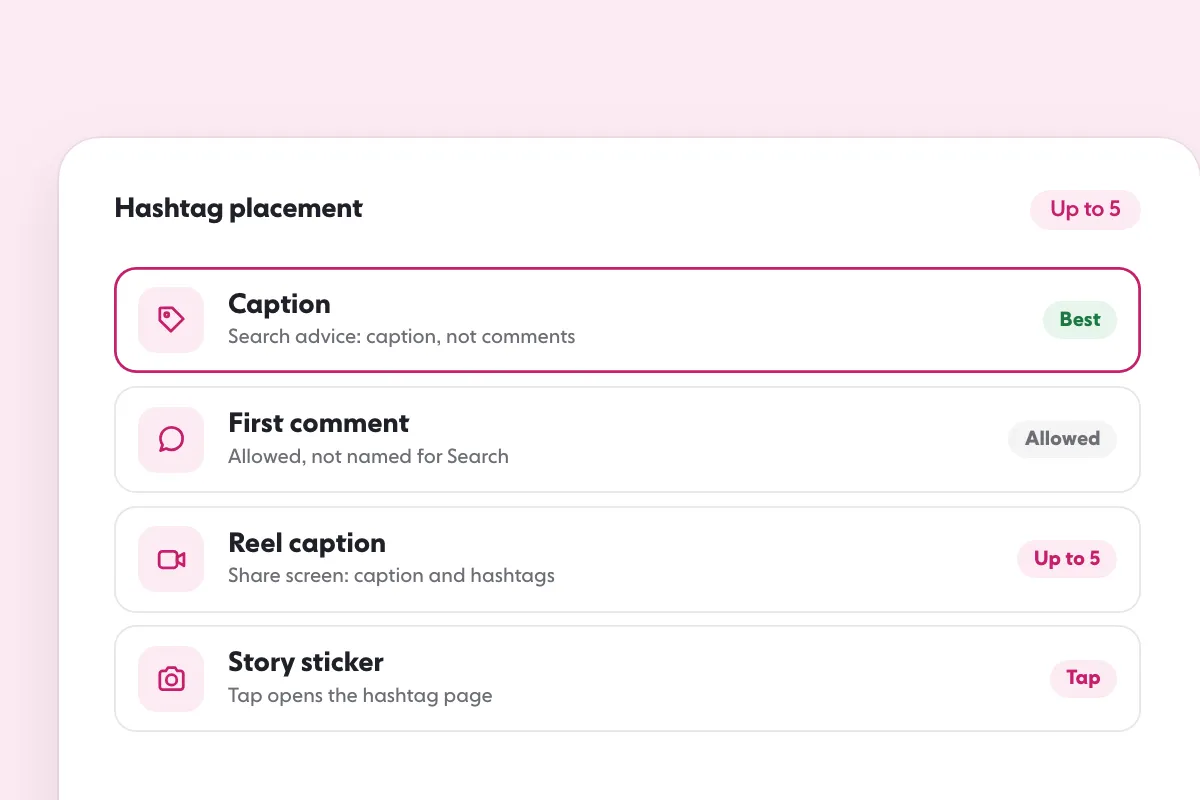
Instagram’s wording on where to put them is direct: “put keywords and hashtags in the caption, not the comments”. The help center says you can add hashtags in either place, and the search advice prefers the caption. Our do hashtags still work on Instagram guide covers what hashtags can and cannot do for reach.
Hashtag pages can also lead to Stories. Instagram’s help center says place and hashtag pages include public photos and videos shared with that hashtag or location. Its 2017 announcement of hashtag stories adds that when you search for a hashtag you may see a story ring at the top of the page, and that if your Story is added you will see a line at the top of your viewer list showing how many people saw it there. If you do not want a Story to appear, tap the X on your viewer list. A private profile’s posts do not appear on hashtag pages.
Should you follow hashtags to see what is popular?
You can use following as a way to watch a tag without searching it each time. Instagram’s 2017 announcement says to open the hashtag page and tap the follow button, after which you will begin “seeing top posts from that hashtag in your feed and some of the latest stories in your stories bar”. Menus change, so check the button in your own app.
For research, following 5 to 10 tags in your niche gives a steady view of what people post under them. It does not give you a count, but it gives you something a list cannot: the actual posts your audience is seeing. Instagram’s search post adds that it usually shows hashtags you follow or visit higher than those you don’t, in search for you.
How do you use popular hashtags without chasing them?
Use this routine once a month. It takes about 20 minutes and uses only what Instagram describes.
- List 10 candidate tags for your account. Write what each post is about in plain words first, then turn the words into tags.
- Run the 5-step check above on each, and fill in the sheet.
- Remove any tag that is unsearchable, whose page shows posts that do not match your topic, or whose first posts are mostly unrelated.
- Keep the rest in a note. For each post, pick up to 5 that fit that post.
- Look at the post in Instagram Insights after a few days to see how many people who do not follow you saw it. Instagram’s pages state no figure for what hashtags add, so the insight screen is your own measure.
Over a few months the sheet becomes your own “popular hashtags” list, built from your niche and your dates, which is more useful than anyone else’s.
Where do hashtags stop helping?
A hashtag puts a public post in a place where interested people can find it. It does not supply the people. If a post is well matched to a tag and nobody follows the account, the post still reaches only the searchers who open that page and scroll to it.
That is why hashtags work best as one part of a plan: clear captions with the keywords people type, a bio that says what you do, and a steady posting habit. The Instagram Explore page guide covers the rest of how people find posts they did not search for.
The shortcut to avoid is buying followers from bot accounts or using automation to push numbers up. Those accounts do not search hashtags, click posts or respond, and they leave your engagement looking thin next to your follower count. Real people who match your niche, country and language are the honest contrast: they follow because the account fits what they like, and they are the audience a good hashtag is trying to reach in the first place. If you want that kind of growth running while you post, our Instagram followers service is built for it, and pricing lists the plans.
FAQ
What are the most popular hashtags on Instagram?
Instagram does not publish a ranked list of its most used hashtags, and none of its help pages, announcements or transparency pages we opened on November 18, 2026 gives post counts for any tag. You can read how busy a tag is in the app yourself, then record the date.
How do you see how popular an Instagram hashtag is?
Search the tag in the app, open its page and look at the posts it shows and how old they are. Instagram’s help pages do not describe a post-count line, so note whatever your app version shows, with the date.
Are popular hashtags better for getting seen?
Not on anything Instagram has published. Its search signals are word similarity, clicks from people making the same search in your country, clicks against views, and device type. A big tag is also a crowded one, and Instagram lists post age and engagement among the factors that order posts in hashtag results.
How many hashtags can you use on Instagram?
Up to 5 on a reel or post. Instagram announced the cap on its @creators account in December 2025, and its help page “Use hashtags on Instagram” says a comment with more than 5 tags won’t post.
Can a popular hashtag be banned?
Yes. Instagram says hashtags may not be searchable if the content tied to them consistently breaks its Terms of Use or Community Standards, and it may remove posts from hashtag search results if people use a hashtag for content that breaks its Community Standards. Check that a tag is searchable before you use it.
Sources
- Breaking Down How Instagram Search Works about.instagram.com
- Instagram Search transparency.meta.com
- See place pages or hashtag search results on Instagram help.instagram.com
- How posts appear on Instagram hashtag search results help.instagram.com
- Posts that appear on Instagram place and hashtag search results help.instagram.com
- Why you can’t search for certain hashtags on Instagram help.instagram.com
- Who can see private Instagram posts with hashtags help.instagram.com
- Use hashtags on Instagram help.instagram.com
- Follow Hashtags on Instagram about.instagram.com
Related guides
Written by Clara Ivens
Instagram growth editor
Clara Ivens covers Instagram growth on the SocialCaptain blog: followers, Reels, hashtags, bios, captions and how reach works. Each guide follows Instagram's own help pages and announcements, and lists its sources at the end.
All articles by Clara Ivens


