Instagram Growth Service vs Instagram Ads: 5 Differences
Quick answer
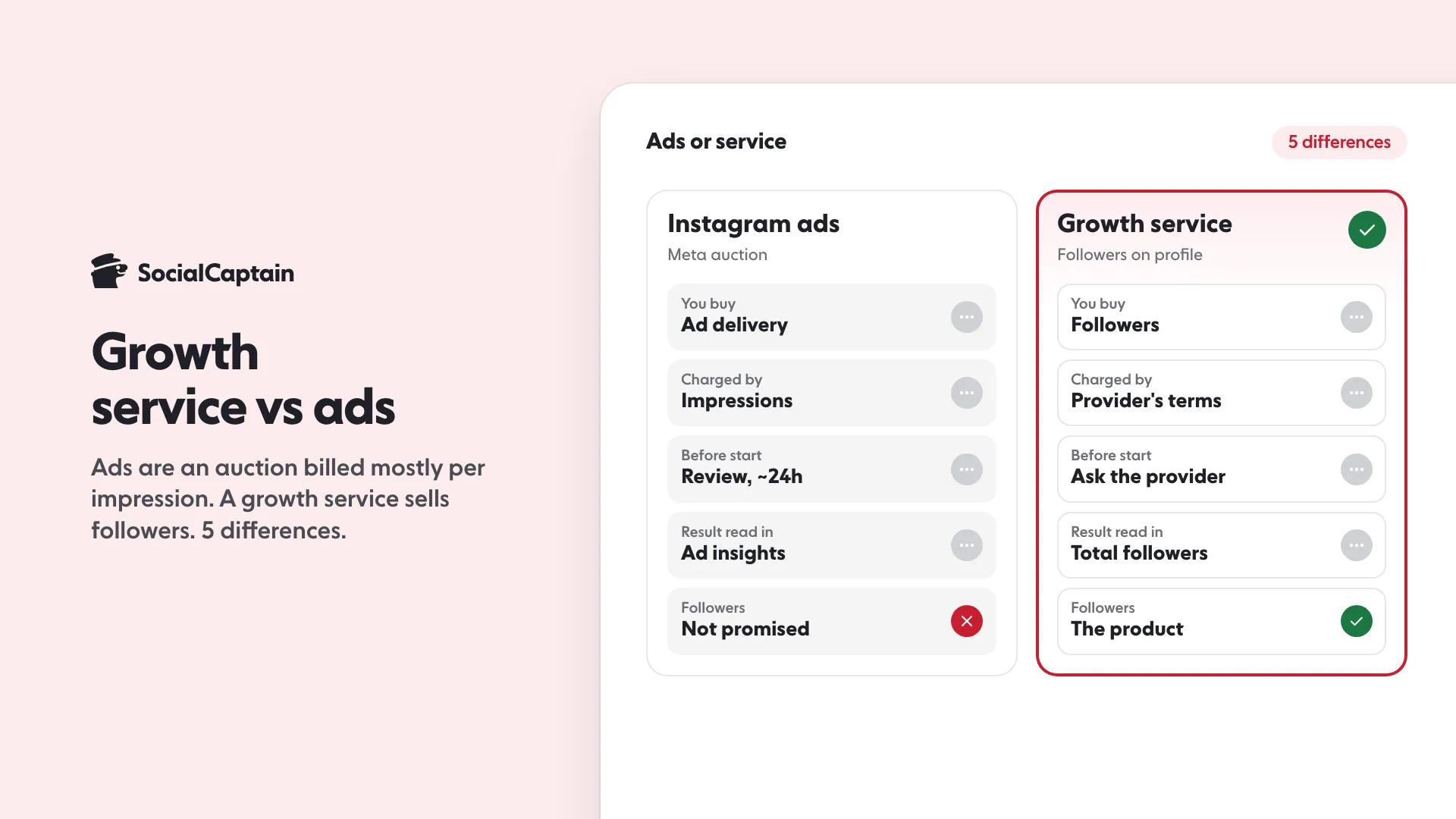
Instagram ads and a growth service buy different things. Meta says ads run in an auction and you are usually charged by impressions. A growth service sells followers. Judge ads by ad goal results and a service by net new followers in Insights.
- Ads: an auction, usually charged by impressions.
- Billing: at a payment threshold and on the monthly bill date.
- Service results show in Total followers in Insights.
On this page11 sections
Instagram ads and a growth service are paid differently and bought for different things. Ads are bought in a Meta auction: you set a budget, Meta says you are usually charged by impressions, and Meta decides who sees the ad. A growth service sells followers on your account from an audience you choose. This guide compares 5 differences (what you buy, how you are charged, what happens before it starts, what you can measure and who ends up following you) and names the Instagram Insights numbers that show which one worked for you.
Cost figures for ads are not repeated here. For CPM and CPC ranges by objective, see what Instagram ads cost. This page is about the other half of the decision: what the two routes are, how each is billed and how you tell afterwards whether you got what you paid for.
What is the difference between an Instagram growth service and Instagram ads?
An ad buys attention for a message. A growth service buys a result on your profile. That one sentence explains most of the rest.
With ads, Meta’s help pages describe a system in which advertisers compete for each chance to show an ad. In Meta’s words: “Meta ads use an auction system where ads compete for impressions based on bids and performance.” You are paying for the ad being delivered to people. Whether they follow you, tap through, buy or scroll on is the ad’s job, and you read the outcome in your ad results.
With a growth service, the product on offer is a larger audience on the account: followers who fit the topic of the profile. How Instagram growth services work covers the five methods providers use. What matters for this comparison is where the result lands. It lands in your follower count, which Instagram Insights reports under Total followers, as followers gained or lost.
| Instagram ads | Growth service | |
|---|---|---|
| What you buy | Delivery of an ad to people in an auction | Followers on your account from a chosen audience |
| Who decides who sees it | Meta’s auction, inside the audience you define | Not set by any Meta page; ask the provider how the audience is set |
| Where the result is read | Ads Manager and ad insights | Total followers in Instagram Insights |
| Needs content to work | Yes: an ad creative | Content is what keeps new followers |
| Typical first question | “Who will this ad reach?” | “Who are the followers and how many stay?” |
The rest of the article takes each row in turn. Where this page quotes Meta or Instagram, the quote is from the help, policy or creators page named in the sources, opened on 19 November 2026.
Difference 1: What do you actually buy?
You buy different units. For an ad the unit is delivery, and Meta is explicit that your budget influences how many people see it. Its help page on budgets for ads created in the Instagram app says: “Your budget affects how many people see your ad.” It also describes the controls you get: a budget, which it defines as “The average amount you’re willing to spend on your ad every day”, a duration, and a distribution across feed and stories for in-app boosts.
Notice what is not in that list: a number of followers. Nothing on the Meta pages we read promises that an ad adds a given count of followers. The ad is shown, and some of the people who see it may follow, tap or ignore it.
A growth service sells the profile-level outcome directly. The honest way to compare is to ask who the followers are when it ends and how the provider describes the audience it reaches. That is where fake and real services part ways:
- Fake follower sellers deliver accounts made to be counted: no history, no interest in your content. They inflate a number and nothing else. See real versus fake followers for the checks.
- Real-follower services aim at people who actually fit your account. SocialCaptain sells followers who are real people from the customer’s niche, country and language, never bots.
An ad is only shown to people. A growth service delivers accounts, which is why the question “who are these followers” matters more for services than for ads. Our guide to the best growth services sets out the criteria for judging that.
Difference 2: How is each one charged?
Ads have a published billing system, and it is not a single charge at the start. Meta’s page on how it charges for ads says that with automatic billing you are charged “when you reach a certain spend known as your payment threshold” and again “on your monthly bill date for any remaining costs.” This method, it says, is used with PayPal and most credit and debit cards.
Three details from Meta’s pages are worth knowing before you launch a campaign:
- Costs build up first, then are charged. “As your ads run, they accrue costs that are charged later.” Meta adds that you “may be charged multiple times in a month or even after your ads stop running.”
- The budget is a control, not an exact invoice. Meta says “Typically, you won’t be charged beyond your set budget,” but also that the budget you set “may differ from the actual amount spent.” And your final bill can exceed the budget of one ad, because it includes charges for all ads run in the billing period.
- What the bill counts and what Ads Manager counts can differ. Meta says the receipt shows the clicks and impressions you are charged for, and that these numbers may differ from what Ads Manager displays.
What are you charged for? Meta: “Usually, you’re charged based on the number of impressions your ad receives unless specified otherwise during ad creation.” So the typical unit of payment is impressions, not followers and not clicks.
A growth service sets its own billing, and there is no Meta rule to read. Providers differ, so the questions to put to any of them before paying are:
- What exactly am I paying for each period: a plan, a pack, a number of followers?
- Is it a one-off charge or does it repeat, and how do I stop it?
- What is delivered over what schedule, and what happens if followers drop off?
- What does the money-back or refund promise cover, in writing?
SocialCaptain’s plan figures are in the closing section.
Difference 3: What happens before it starts?
Ads go through a review before they run. Meta’s Advertising Standards page says the process “starts automatically before ads begin running” and is “typically completed within 24 hours, although it may take longer in some cases.” While it runs, the status shows as “In review.” The same page says ads “may be reviewed again, including after they are live”, so an ad can be rejected or restricted later.
Ads Manager campaigns also go through a learning period. Meta’s page on the learning phase says an ad set exits it “as soon as they can deliver stably”, which it says “usually occurs after about 50 results in the week after the ad set’s last significant edit.” During learning, Meta says, “ad sets are less stable and usually have a higher CPA”, and that editing during the learning phase means “you reset learning”. Two cautions: that page is about ad sets in Ads Manager rather than the quick boost button in the app, and “results” depends on the goal you chose. It does mean a first week of an ad campaign is partly spent finding delivery, not reading a final verdict.
For a growth service the equivalent unknown is the provider’s own start process. It is not governed by a Meta page, so ask: when does delivery begin after I pay, what do you need from me (the username, a public profile), and over what period are followers added? Ask for the start date and schedule in writing.
Difference 4: What can you measure, and where?
Here the two routes are easiest to confuse, because both end up visible in Instagram, but the measuring tools are different.
Ads report in Ads Manager and, for content boosted in the app, in ad insights. Instagram’s help page on insights says that when you boost content “you’ll also have access to ad insights, where you can see these metrics for your ad and additional insights like ad goal results, cost per ad goal, or spend.” That gives you a cost per result for the goal you set, which is the figure to compare against other ads.
A growth service has no dashboard in Instagram, so you measure it with Instagram Insights, which Instagram describes as free for public accounts. The numbers to use:
| Insights number | What Instagram says | What to read from it |
|---|---|---|
| New followers (overview) | The overview includes Views, Interactions, New followers and Content you shared | Net movement for the period |
| Total followers | “View trends across your followers when you have at least 100 followers”, including growth (followers gained or lost), top locations, age range and most active times | Whether the audience matches your niche and country |
| Interactions | “likes, comments, saves and shares” | Whether people react to what you post |
| Accounts engaged | For posts, stories and Live it can be split into followers and non-followers | Whether new followers join in |
| Timeframe | Presets of 7, 14, 30, 60 or 90 days, or a custom range “within the past 90 days” | How far back you can compare |
Two limits from Instagram’s own pages matter. First, audience demographics need enough data: “use preset timeframes and reach over 100 accounts”, and if the last 7 days show nothing, try a longer preset. Second, Insights only reaches back 90 days, so save screenshots of the numbers from the day you start. For how each metric is defined and read, see Instagram Insights: 9 metrics to track.
A simple fair comparison uses the same unit for both routes: what you paid, divided by net new followers in Insights over the same period. For ads, add the ad insights cost per ad goal result alongside, because that measures the thing the ad was set to do, which may not be followers.
Difference 5: Who follows you at the end?
With an ad, the people who follow are people who saw the ad and chose to. That is a clean signal if your ad was relevant, because Meta’s auction rewards relevance. Meta’s page on auctions lists three factors in the total value that wins an auction: the bid, estimated action rates, and ad quality, and says “an ad that’s more relevant to a person could win an auction against ads with higher bids.” If you aim an ad at the right audience with a clear offer, followers arrive as a by-product of interest.
With a growth service, the audience depends on what you and the provider agree, so ask how it is set. The thing to check afterwards is the fit: top locations and age range under Total followers, and whether Interactions and Accounts engaged move. If the new followers match your topic, country and language, they show up as a believable audience. If locations are far from your market and nothing engages, the number has grown but the account has not.
This is also where bots and automation come back in. Automated follow tools and fake follower packs create counts without people; ads and real-audience services both aim at humans. Real people from your niche, country and language is the difference between a number and an audience.
Which should you choose?
The choice follows the goal, not the cost per unit.
- You want a larger, relevant audience on the profile. A growth service is built for that outcome, and Insights shows it directly. Judge it on net new followers, fit and engagement.
- You want a click, a sign-up or a sale for a specific offer. Ads fit, because you choose a goal, a creative and a destination and Meta reports cost per goal result.
- You want a post to reach beyond your followers. Boosting a post is the quick ad route, and it requires a professional account.
- You are small and have a modest budget. Meta recommends at least $5 for in-app budgets with a duration over 6 days so its delivery system can find people, which tells you ads need a run of days, not a single push, to be judged.
Neither is a substitute for content. Instagram’s own creators FAQ says that people who follow you see a reel first and that some may unfollow as people regularly curate who they follow, and that, to decide how much distribution a piece of content gets, “the most important things we consider are how much engagement per viewer the content has received”. Followers from any source stay or leave based on what you post.
If you do both, change one thing at a time and write down the start dates. Ads add a separate set of ad insights, while a service shows in Total followers. Start one, give it a full preset timeframe, then add the next.
How to test one against the other: 5 steps
- Record the baseline. Screenshot the Insights overview (New followers, Total followers, top locations and age range) for the last 30 days. It is the only record once the 90-day window rolls past.
- Pick one goal. Followers on the profile, or a click to a page. Do not measure a click campaign by follower growth.
- Set the budget as a limit. For ads, set a daily budget and duration you can afford to lose. For a service, pick the smallest plan that lets you judge it, and read what the refund promise covers.
- Wait a full timeframe. Use the 30-day preset for the first read. Seven days can be too short for demographics: Instagram’s own page says to try a longer preset if the last 7 days show nothing.
- Compare cost per net new follower and the fit. What you paid divided by net new followers, then locations, age range and engagement.
What does SocialCaptain cost, and where do you start?
SocialCaptain sells growth as Starter and Pro plans: followers who are real people from your niche, country and language. On the first payment, the 6-month plan is $27.99 a month on Starter and $39.99 a month on Pro, and the monthly plan is $47.99 on Starter and $68.99 on Pro. The first payment carries a 14-day money-back guarantee. The pricing page shows the live plan details, and the Instagram growth service page explains what each plan includes. To see how other providers compare on criteria, read the best Instagram growth services list.
What a growth service costs next to ads is in Instagram Growth Service Cost: 3 Price Models Compared.
FAQ
Is an Instagram growth service better than Instagram ads?
They buy different things. Meta’s ads are an auction for showing your ad, and Meta says you are usually charged by impressions. A growth service sells followers on an account. If the goal is a bigger, relevant audience on the profile, judge both by net new followers in Insights; if it is sales or sign-ups, ads can send people to a page.
How do Instagram ads charge you?
Meta says ads compete in an auction and that you are usually charged by the number of impressions the ad receives, unless specified otherwise when you create it. With automatic billing, costs build up and are charged when you reach your payment threshold and on your monthly bill date.
Can Instagram ads guarantee a number of followers?
Nothing on the Meta pages we read promises a follower count. Meta says your budget affects how many people see your ad and that actual spend can differ from the budget. What you get is delivery to an audience, and you measure the follower result yourself in Insights.
How do you measure whether a growth service worked?
Use Instagram Insights on the account itself. Compare Total followers growth (followers gained or lost) over the same preset timeframes before and after, check top locations and age range for fit, and watch Interactions and Accounts engaged to see whether the new followers react to your content.
Can you use both a growth service and Instagram ads?
Yes, and Insights can keep them apart if you note start dates. Ads add their own ad insights (ad goal results, cost per ad goal and spend) for boosted content, while follower growth shows in Total followers. Change one thing at a time so you can tell which moved the numbers.
Do you need a professional account to run Instagram ads?
To boost content from the Instagram app, yes. Meta’s help page says boosting content on Instagram is only available to professional (business or creator) accounts.
Sources
- How Meta charges for ads facebook.com
- When Meta charges you for ads facebook.com
- About budgets for ads you create in the Instagram app facebook.com
- About ad auctions facebook.com
- About the learning phase for ad sets in Meta Ads Manager facebook.com
- Introduction to the Advertising Standards transparency.meta.com
- About Instagram insights facebook.com
- Select a date range for your account insights on Instagram help.instagram.com
- Instagram for Creators: Frequently Asked Questions creators.instagram.com
Related guides
Growth services
How Instagram Growth Services Work: 5 Methods Explained
Growth services
Buy Instagram Followers: Real vs Fake and 7 Checks
Follower growth
How to Boost a Post on Instagram: 7 Steps and Costs
Written by Jonas Revel
Research editor
Jonas Revel runs research on the SocialCaptain blog: the statistics pages, account safety, and the fact-check every article gets before it goes live. Each number is traced to its original source and dated, and figures that cannot be traced are left out.
All articles by Jonas Revel


