Instagram Branding: 6 Profile Parts to Set Up, in Order
Quick answer
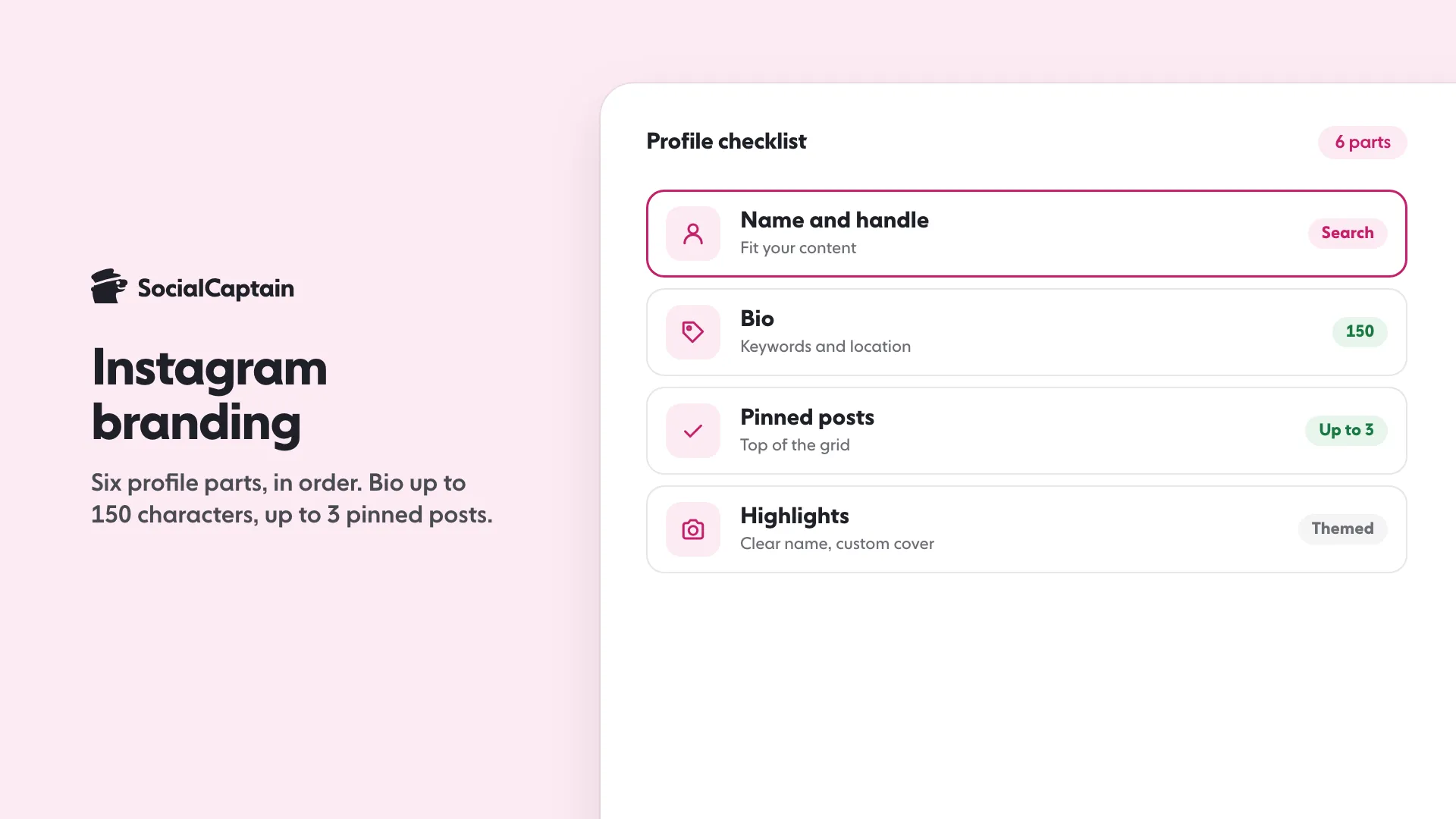
Instagram branding is six profile parts set in order: name and handle, bio (up to 150 characters), pinned posts (up to 3), Highlights, voice and visuals. Instagram advises a handle and name that fit your content.
- Bio: up to 150 characters, with keywords and location.
- Pin up to 3 posts to the top of the profile.
- Name Highlights clearly and give each a custom cover.
On this page13 sections
Instagram branding comes down to six parts of your profile, set up in this order: name and handle, bio, pinned posts, Highlights, voice and visuals. Instagram’s own pages give hard numbers for three of them: a bio of up to 150 characters, up to 3 pinned posts, and Highlights that stay on your profile until you remove them. This guide walks through all six, says which parts Instagram itself documents and which parts are craft advice, and ends with a one-page checklist. If you are still deciding what to post, start with the Instagram marketing strategy and come back here to make the profile match it.
One thing to know first. Branding does not bring strangers to your profile. It decides what they do in the few seconds after they arrive. So it pays most when reach is already coming, from your posts, from Search or from growth you have set up on purpose.
What does Instagram branding actually include?
Everything a first-time visitor reads or sees before they decide to follow. Instagram’s profile has a small number of slots, and your brand is whatever you put in them:
- the profile photo
- the name (the display name) and the username (the handle)
- the bio, with its website link
- the category label and Contact button, if you have a professional account
- up to 3 pinned posts at the top of the grid
- Highlights, the round covers under the bio
- the grid itself, meaning the look and tone of your recent posts
Instagram does not publish a brand-building guide for these. What it does publish is advice on how its Search matches text, and help pages for each field. This article uses those for every fact and keeps craft advice (what to write, what to show) clearly separate.
How do you choose a name and handle?
Choose a handle and profile name that match what you post, and that people already know you by. That is Instagram’s own advice. Its post “Breaking Down How Instagram Search Works” tells accounts to “use a fitting handle and profile name”, and says a name related to the content of your posts is your best bet for showing up in relevant searches. It adds that if people know you by a certain name, include it in your username or profile so they can find you.
Instagram says the text someone types in the search bar is “by far the most important signal” and that it tries to match it with usernames, bios, captions, hashtags and places. So the name field is not decoration. It is one of the places Search reads.
Practical rules that follow from that:
- Put the thing you are known for in the name field, not only in the handle. A photographer in Lisbon can use “Ana Ruiz | Lisbon photographer” in the name and a short handle in the username. The two fields are separate, and you can fill both.
- Keep the handle short and easy to say aloud. Instagram’s Help Center notes that if your preferred username is taken, you can add periods, numbers, underscores or abbreviations to find one that is free. Pick the cleanest of those, not the longest.
- Check what the pages do not say. Instagram’s help pages state no character limit for the name or the username in the pages we read, so test in the app: the Edit Profile screen will refuse what does not fit.
- Match the name on your other channels if you can. Instagram’s pages say nothing about cross-platform consistency, so this one is craft advice: a visitor coming from a link should recognise you at once.
To change them, go to your profile, tap Edit Profile, change the name or username and tap Done (iPhone) or the checkmark (Android). Instagram’s page on updating profile information describes this path. For the full handle process and ideas, see how to change your Instagram username and cool Instagram usernames.
One more note: Instagram’s brand guidelines page covers how other people refer to Instagram, such as not blending “Insta” or “gram” into your own brand name. If your brand name will contain those words, read that page first.
What should your bio say?
The bio is up to 150 characters and anyone can see it, according to Instagram’s Help Center. Use it to answer three questions for a stranger: what is this, who is it for, and what should I do next.
Instagram’s Search advice gives you the facts to build on: “include relevant keywords and locations in your bio.” For an account tied to a place, such as a small business, Instagram suggests listing where you are so nearby people can find you more easily.
A structure that fits 150 characters:
| Line | Job | Example |
|---|---|---|
| 1 | What you are, in the words a searcher uses | Wedding photographer in Lisbon |
| 2 | Who it is for or your one proof point | Elopements and small weddings |
| 3 | The next step | Book a date below |
Then the link. The same Edit Profile screen is where you add your website URL. One detail from Instagram’s own announcement: a # or @ typed in your bio becomes a live link to a hashtag page or another profile, which is useful for a branded hashtag or a partner account. Instagram’s pages we read do not state a limit on the number of links, so check the Edit Profile screen in your version of the app. For the link steps, see how to add a link to your Instagram bio.
Two more parts of the profile act as bio extensions, and both belong to professional accounts:
- A category label shown under your profile photo. Instagram says it matches the category of your linked Facebook Page, and that you can show or hide it. To edit it, go to Edit Profile, then Public Business Information.
- A Contact button near the top of the profile, which can include directions, a phone number and an email address. When it is on, anyone who taps Contact can see that information.
For bio wording, the posts how to write an Instagram bio and Instagram bio ideas go line by line, and the free Instagram bio generator drafts options you can shorten to fit.
Should a brand use a business or creator account?
Use a professional account if the profile is for a brand, shop, service or public project. Instagram’s Help Center says to switch from your profile menu: Settings and activity, then “Account type and tools”, then “Switch to professional account”. You pick a category, then choose Creator or Business. Instagram says the category you pick does not decide which of the two you get, and that you can switch back to a personal account or change type at any time.
Two facts worth knowing before you switch:
- If your personal account is private, switching to a professional account makes it public.
- Instagram says it only recommends content from public accounts, and that Creator and Business accounts are automatically public (Instagram’s creators blog, on recommendation eligibility).
That second point matters for branding. A private account cannot build a brand in the usual sense, because strangers cannot see it.
Which type, Business or Creator, is a matter of which tools you need. Instagram’s own pages describe both as options for “business or creator tools and controls”. Pick the one whose tools match your goals, and remember you can change it.
How do you use pinned posts for your brand?
Pin your best three. Instagram’s Help Center says you can pin up to 3 posts you have shared to the top of your profile. Instagram’s announcement of Instagram Plus lists “more profile pins” as a paid feature, up to 6 posts, so the number depends on whether you have that subscription.
Pinned posts are the first thing a visitor sees in the grid, so use them as your three-slide pitch:
- What you do, shown rather than described.
- Your best proof, such as a result, a finished product or a before and after.
- How to start, such as a price range, an offer or how to book.
Instagram’s pages give the limit and the steps, not what to choose. The order above is our suggestion. Review the three every few months: a pinned post from last year that no longer matches your offer works against you.
For planning what goes into the grid around those three, the free Instagram grid preview shows how your next posts will sit beside them before you publish.
How do Highlights work as a brand shelf?
Highlights keep selected Stories on your profile after the 24 hours are over. Instagram’s guide to Stories says Highlights “stay on your profile until you remove them” and appear as “round covers under your profile bio”. It suggests grouping them by theme, giving the examples of travel, recipes, big projects or ongoing series, and giving each one “a clear name and a custom cover image so they’re easy to browse at a glance”.
To create one, Instagram’s Help Center steps are:
- Go to your profile and tap New (on some versions it shows as Story highlight).
- Enter a name for the highlight and tap Next.
- Pick the Stories to include and tap Next.
- Choose a cover and tap Add or Done.
To change one later, open it, tap More, then Edit; there you can add more photos or videos. You can also add a Story to a Highlight while it is live, from the three-dot menu, or from your Archive. Anyone who can see your Stories can see your Highlights.
A brand-shelf plan for Highlights, as craft advice rather than Instagram rules:
- Start with 4 to 6 themes that answer the questions new customers ask: what you sell, how it works, proof, prices or how to book, and who you are. Instagram states no limit in the pages we read, so add more only when you have something worth browsing.
- Keep cover style uniform: one colour family, one icon style. Short one- or two-word names read better under a small cover.
- Pull the best Stories in from your archive rather than posting new ones just to fill a shelf. For what to put in them, see Instagram stories ideas.
What is a brand voice on Instagram, and how do you write in it?
A brand voice is how your captions, bio, replies and Story text sound, so that the same person is clearly talking each time. Instagram’s pages do not publish a voice guide, so none of what follows comes from Instagram. It is a method you can apply in an afternoon.
- Collect 10 real captions or replies you wrote that felt right, plus 3 that felt wrong.
- Mark the pattern: sentence length, how you address the reader (you or we), whether you use emoji, how you handle a joke.
- Write three rules, for example “short sentences, one idea per caption, no jargon”.
- Write three “never” rules, for example “no hype words, no all-caps”.
- Use them in the bio first, then in captions, then in replies to comments and messages.
The captions are where the voice shows most. Instagram’s search advice says to put keywords and hashtags in the caption, not the comments, so the caption does two jobs at once: it sounds like you, and it holds the words a searcher uses. The posts Instagram captions and Instagram content strategy cover how to write them.
How do you keep a consistent visual look?
Choose a small, fixed set of visual rules and apply them to every cover, post and Story. Again Instagram’s pages do not prescribe a look; what they do say is that Highlights should be easy to browse at a glance and that the grid is what visitors scan. A set that holds up:
- Two or three brand colours and one neutral.
- One or two fonts for any text on images.
- One photo style: lighting, background and crop that you repeat.
- A fixed place for a logo or watermark, if you use one.
- A cover template for Highlights and carousels.
Before you publish a run of posts, preview them side by side. The Instagram grid maker lets you cut and arrange images so the grid reads as one piece. A look that matches across the profile photo, the pinned posts, the Highlights and the latest posts tells a new visitor within a few seconds that the account is real and kept up.
Keep an eye on one thing, though: anything in your profile that breaks Instagram’s Recommendation Guidelines, such as the photo or bio, can make the whole account ineligible for recommendation, according to Instagram’s creators blog. Brand freedom stops there.
What does a finished branded profile look like?
Use this checklist. Every line has either an Instagram source or is marked as craft advice.
| Part | Where to set it | Rule or number | Source |
|---|---|---|---|
| Name and handle | Edit Profile | Fit the content; include what people know you by | Instagram Search post |
| Bio | Edit Profile | Up to 150 characters; keywords and location | Help Center, Search post |
| Link | Edit Profile | Website URL; # and @ in the bio become live links | Help Center, Instagram announcement |
| Account type | Settings and activity | Professional account; Creator or Business, changeable | Help Center |
| Category and Contact | Edit Profile, Public Business Information | Show or hide; contact details visible when on | Help Center |
| Pinned posts | The post’s menu | Up to 3 (up to 6 with Instagram Plus) | Help Center, Instagram Plus announcement |
| Highlights | Profile, New | Clear name, custom cover, themed | Help Center, Stories guide |
| Voice | Captions, replies | 3 do and 3 don’t rules | Craft advice |
| Visuals | Every post | Fixed colours, fonts, photo style | Craft advice |
What mistakes weaken an Instagram brand?
Seven come up again and again:
- A name field that says only the handle. Search reads the name; give it words.
- A bio that explains nothing. Three lines, one job each.
- A private account on a brand profile. Instagram only recommends content from public accounts.
- Pinned posts that are old or off-topic. They are the first thing visitors see.
- No Highlights, or untitled ones. Instagram says a clear name and custom cover make them easy to browse.
- A voice that changes with the person typing. Write the six rules and share them.
- A new look every month. Consistency is the point of branding. Change a rule on purpose, not on a whim.
What comes after the profile is set up?
Reach. A well-branded profile with no audience has nothing to convert. The honest options are posting content people search for, using hashtags where they fit (see where to put hashtags on Instagram), and, if you want audience growth to run in parallel, a service that brings real people from your niche, country and language. That is what our Instagram followers service does, and pricing lists the plans. Whichever route you take, do the profile work in this article first: it is free, it takes an afternoon, and every new visitor sees it. The full routine for finding new followers is in how to get more Instagram followers.
FAQ
What is Instagram branding?
It is the set of things a visitor sees and reads on your profile that tell them who you are in a few seconds: your name and handle, profile photo, bio, pinned posts, Highlights, and the voice and look of your posts. Instagram’s own advice on being found in Search points to the same fields: handle, profile name, bio and captions.
What is the Instagram bio character limit?
Instagram’s Help Center says a bio can be up to 150 characters. It is public, so anyone can see it. You edit it from Edit Profile, where you can also change your name, username and website.
How many posts can a profile pin?
Instagram’s Help Center says you can pin up to 3 posts to the top of your profile. Instagram’s announcement of Instagram Plus lists pinning up to 6 posts as one of its paid features.
Should a brand use a business or creator account?
Both are professional accounts. Instagram says the category you pick does not decide whether you get Business or Creator, you choose that next, and you can switch back or change type at any time. Professional accounts can show a category label and a Contact button.
Do Highlights help a brand?
They keep chosen Stories on your profile after the 24 hours are over. Instagram’s guide says they stay until you remove them, sit as round covers under your bio, and work best with a clear name and a custom cover so people can browse them at a glance.
Does branding get you more followers?
It makes a visit to your profile convert better, and the handle, name and bio feed Instagram Search. It does not by itself bring new people to the profile. For that you need reach, which comes from posts and, if you want it faster, from a real-people growth service.
Sources
- Breaking Down How Instagram Search Works about.instagram.com
- Add a bio to your Instagram profile help.instagram.com
- What can you do if an Instagram username is already claimed but seems inactive help.instagram.com
- How to change your Instagram profile information help.instagram.com
- Pin a post to the top of your profile on Instagram help.instagram.com
- Introducing Instagram Plus: More of What You Love about.instagram.com
- Add a story to your Story Highlights help.instagram.com
- How to Use Instagram Stories: Complete 2026 Guide about.instagram.com
- About professional accounts on Instagram help.instagram.com
- Introducing Hashtag & Profile Links in Bio about.instagram.com
- Recommendations on Instagram: What Creators Need to Know creators.instagram.com
Related guides
Follower growth
Instagram Marketing Strategy: 7 Steps for Small Businesses
Follower growth
How to Get More Instagram Followers: 12 Tactics That Work
Formats and sizes
Instagram Stories Ideas: 40 Prompts and Sticker Plays
Written by Clara Ivens
Instagram growth editor
Clara Ivens covers Instagram growth on the SocialCaptain blog: followers, Reels, hashtags, bios, captions and how reach works. Each guide follows Instagram's own help pages and announcements, and lists its sources at the end.
All articles by Clara Ivens


