Followers Without Posting on Instagram: 5 Ways, 3 Limits
Quick answer
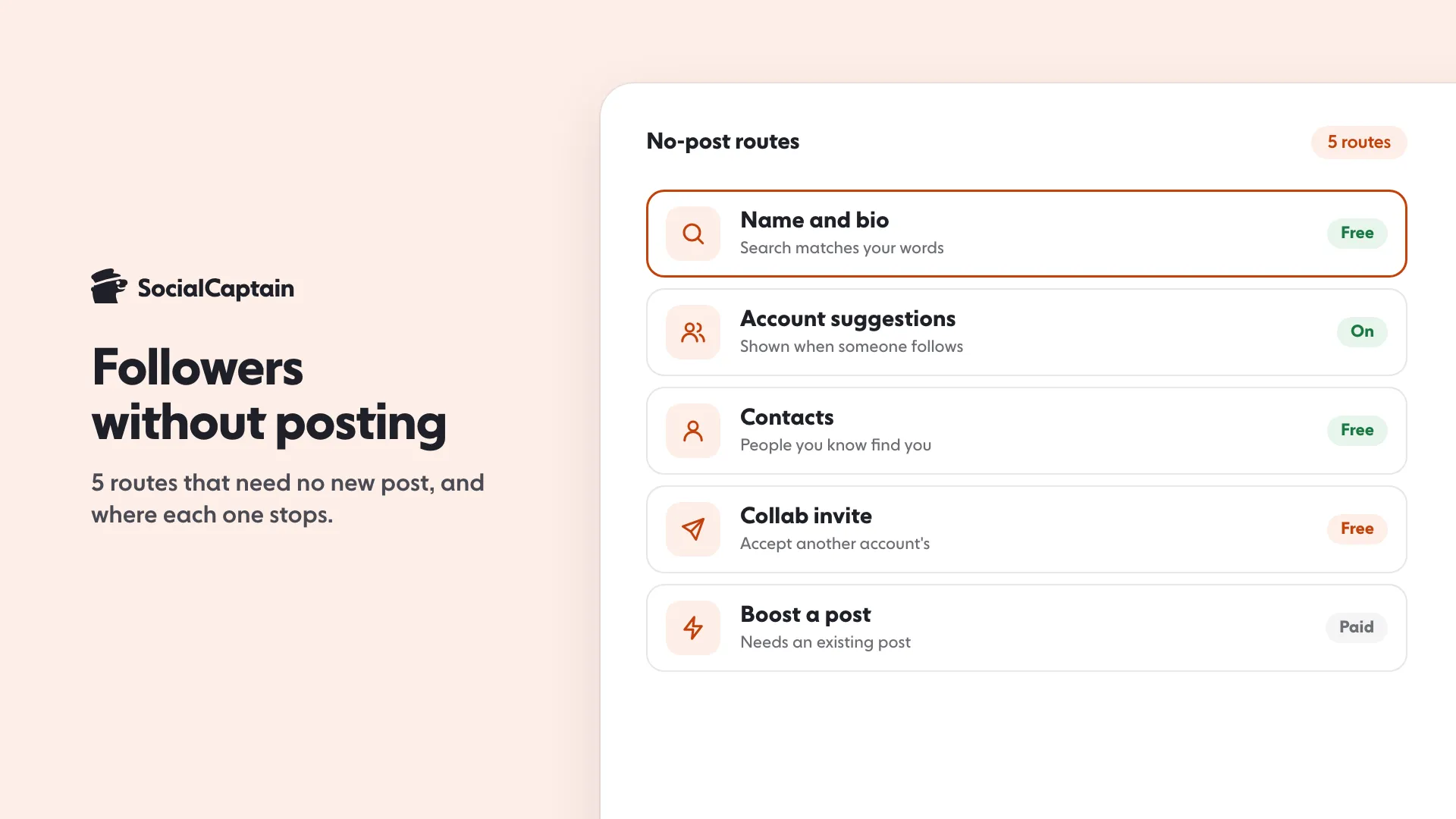
You can get some Instagram followers without posting through 5 routes: your name and bio as search text, account suggestions, connected contacts, a Collab invite you accept, and ads on a post you already have. An empty account has little for Instagram to recommend.
- 5 routes, none needs a new post.
- Instagram's search weighs words in the username and profile name.
- Boosting needs at least one existing post.
On this page8 sections
You can get some Instagram followers without posting, through 5 routes: your name and bio as search text, account suggestions, connected contacts, a Collab invite you accept, and ads on a post you already have. All five have a ceiling. Instagram’s recommendation and ranking pages are about showing content to people, so an account with nothing posted has little to show. This guide covers the 5 routes with the Instagram page each one comes from, a worked example for each, then the 3 limits that decide how far they go.
If you can post, how to get more Instagram followers is the full plan. This page is for the case where you cannot, or will not, for now.
What counts as “without posting”?
Be clear about the question before choosing a route. Feed posts and Reels are the content Instagram ranks. Stories, mentions and profile text are lighter. This guide uses “without posting” to mean no new feed post or Reel. Where a route needs something lighter than that, such as a Story, the section says so.
Every route below was checked against the Instagram or Meta page named in it on 2026-11-18. Where Instagram’s pages do not answer a question, the guide says that instead of guessing.
| Route | Needs a new post? | Cost | Where it stops |
|---|---|---|---|
| Profile text in search | No | Free | Only helps people who already search for you or your topic |
| Account suggestions | No | Free | Depends on who follows you and who you know |
| Connected contacts | No | Free | Reaches people who already know you |
| Collab invite you accept | No, but someone must invite you | Free | Needs another account to choose you |
| Boost an existing post | No, but it needs one existing post | Paid | Stops when the budget does, and depends on the post |
What are the 5 ways to get followers without posting?
1. Make the profile easy to find in search
Instagram’s search page lists what its system uses to decide which accounts to show as you type. One signal is “The similarity between the words used in your search and those in the account’s username or profile name”. Another is how many times an account was clicked and then acted on, compared with the number of times those actions were taken on all accounts by people performing the same search in your country. That second signal is out of your hands. The first one is not.
Instagram’s own post on how Search works says the text you type into the search bar “is by far the most important signal for Search”, and that Instagram tries to match it with “relevant usernames, bios, captions, hashtags and places”. It gives two tips for profiles: use a handle or profile name related to the content of your posts, and “include relevant keywords and locations in your bio”. If your account is location-specific, like a small business, it says sharing your location in your bio can make it easier for people nearby to find you.
Here is a worked example, with made-up names:
| Before | After | |
|---|---|---|
| Username | @sunny.days.88 | @marta.leather.studio |
| Profile name | Marta | Marta, Leather Bags, Lisbon |
| Bio | Living my best life | Handmade leather bags, made to order in Lisbon |
Someone who types “leather bags Lisbon” shares words with the second profile and none with the first. Nothing was posted. The change is only text.
To change it, Instagram’s help page says to click your profile picture, click Edit profile, type your information and click Submit. It adds that if your account reaches a lot of people, a username change may need to be reviewed, and that your followers may be notified of a username change. So choose the username carefully, because it can show in a notice.
What this route cannot do: search only helps people who go looking. It brings you the person who types your topic, not the person who has never heard of it.
2. Stay eligible for account suggestions
Instagram’s help page says that when someone taps Follow on a profile, they see “suggestions of similar profiles they might also want to follow, such as mutual friends or other people they might know”. The setting that controls this is called “Show account suggestions on profiles”, and the page says it is on desktop and mobile browser. If you turn it off for your profile, you “won’t appear as a suggestion on someone else’s profile either”. Leave it on.
The page does not say how Instagram decides which profiles appear, and it does not say whether an account with nothing posted is eligible. So treat this route as a possible bonus, not a plan. Suggestions depend on who is already around you, which leads to the next route.
3. Connect your contacts
Instagram’s help page on finding people says you can connect your device’s contact list in the Instagram app “to find people you know”. Its page on email addresses and phone numbers says Instagram may use them for “connecting you to other people and content on our platforms, including using your contacts to recommend accounts to follow”. That is how a friend of a friend can see your profile suggested.
The practical step is small: add a phone number or email, and connect contacts. The people who already know you can then find you in a few taps. For a person starting from nothing, this is usually the first handful of followers, and they are people who know you.
4. Accept a Collab invite
Instagram’s help page on collaborative posts says the creator of a post can invite another account as a collaborator, and “If the account accepts the invite, their username will be added to the post and the post will be shared with their followers. It will also show on their profile.” Up to 5 collaborators can be added. Instagram’s reels tips page says that when friends accept a collaboration invite, “the number of people who can see your content will increase”.
So if another account invites you and you accept, a post can show on your profile and reach your followers without you making it. Three things to know from the same page:
- A tag or a mention does not do this. The page says a tagged post is not shared with your followers, while a Collab post is.
- Either side can leave. The invited account can remove itself at any time, and the creator can remove the collaborator at any time.
- You cannot add collaborators to Stories, only to posts and reels.
You cannot make this happen on your own. Someone has to choose you, and an account with an empty profile is a weak choice. Our guide to Instagram Collab posts covers how to invite.
5. Boost a post you already have
Instagram’s page on ways to advertise says that, from a professional account, you can “boost feed posts, Reels, Stories and partner content directly from the Instagram app”, and that when you boost from the app, “audience and placement options are set automatically”. Its page on boosting a post says boosted posts appear in Explore, Home Feed, profile feed and Stories. You need to switch to a professional account first.
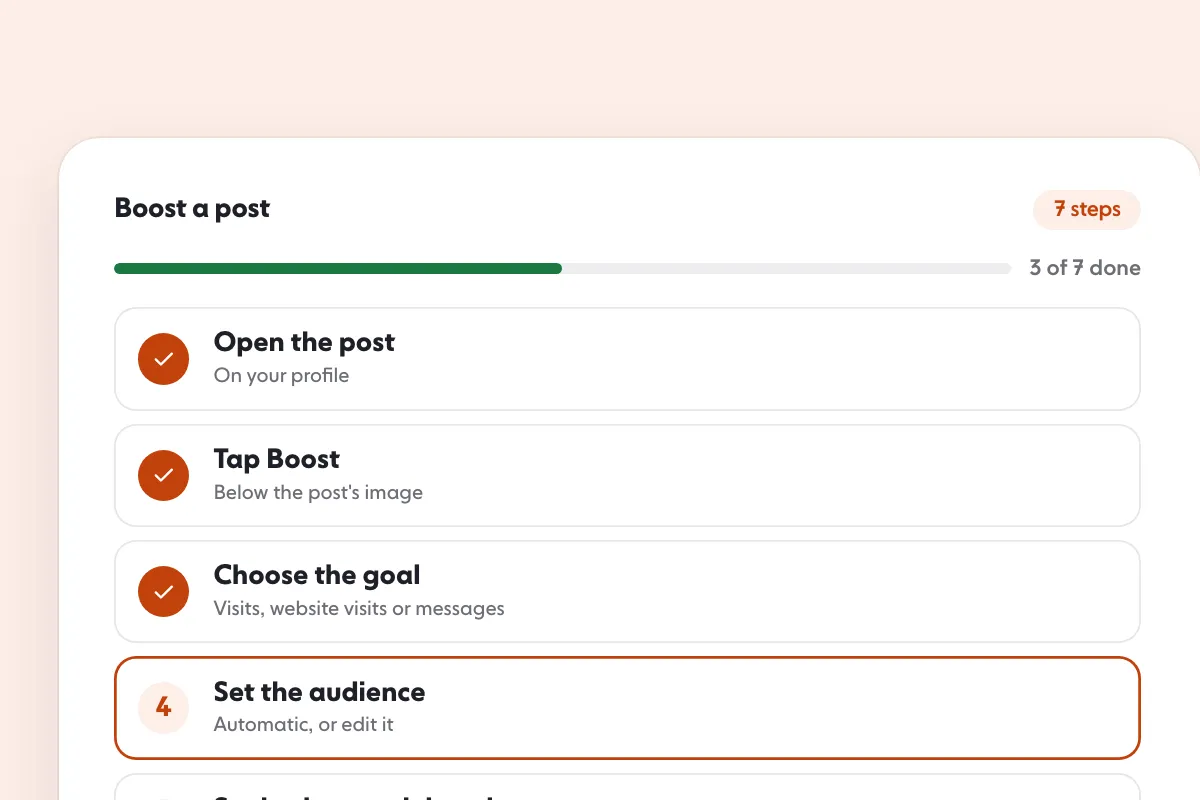
Instagram’s steps for a feed post in the mobile app are: go to your profile, tap the post, tap Boost below the image, set the Goal, Audience, Budget (daily) and Duration, tap Next, tap Preview ad to review the placements, and tap Boost post. The page says that if you do not see Boost below a post, the post may not be eligible or the account may not be set up to boost.
The money works as simple multiplication. As an example only, not a price: a daily budget of $5 for 7 days is $5 × 7 = $35 in total. Ads are submitted for review first; Instagram says you get a notification when the ad is reviewed, approved or disapproved, and the ad starts only after it is approved.
One cost note from Instagram’s page: in most regions an Apple service fee of 30% of your total ad payment may apply when you add funds to an ad account in the Instagram iOS app, and the page says to use instagram.com instead of the iOS app to avoid it. For the steps, see how to boost a post on Instagram.
Ads are not free followers. You pay for each boost, and what you get depends on the post. If the account has no post at all, this route is closed.
What does the lighter content route look like?
If posting a feed post is the blocker, two lighter tools sit between nothing and a post. Both are Stories features, so they are content, but they are quick.
- Mentions. Instagram says you can mention up to 20 people in each photo or video in your Story. Type @ followed by the username after tapping Text. The people you mention get a notification and a direct message with a preview of your Story, and they can reshare it to their own Story unless you turn that off. If you allow resharing, your Story may be visible to people who do not follow you.
- Add Yours. Instagram describes this sticker as a way to “interact with others on Instagram by writing or responding to a prompt”. Adding to someone’s prompt puts your own Story into a shared place that people can tap through.
Neither is guaranteed to bring a follower. They put your name where other people look. Use them only with a profile that is ready for a visit, which is the point of the next section.
What are the 3 limits?
1. Nothing posted, nothing to recommend. Instagram’s ranking pages describe Explore as recommending posts based on predictions about what a person will do, such as how likely they are to follow the author of a post. With no posts, those surfaces have nothing of yours to rank. See the Instagram Explore page for how they work. If you do post and reach stays flat, why an Instagram account is not growing covers the causes.
2. A new visitor needs a reason. Someone who finds an empty profile through search or a suggestion sees no posts, no reels and no proof. A few strong posts give a visitor more to go on than any amount of searchability. A good bio helps; see Instagram bio ideas.
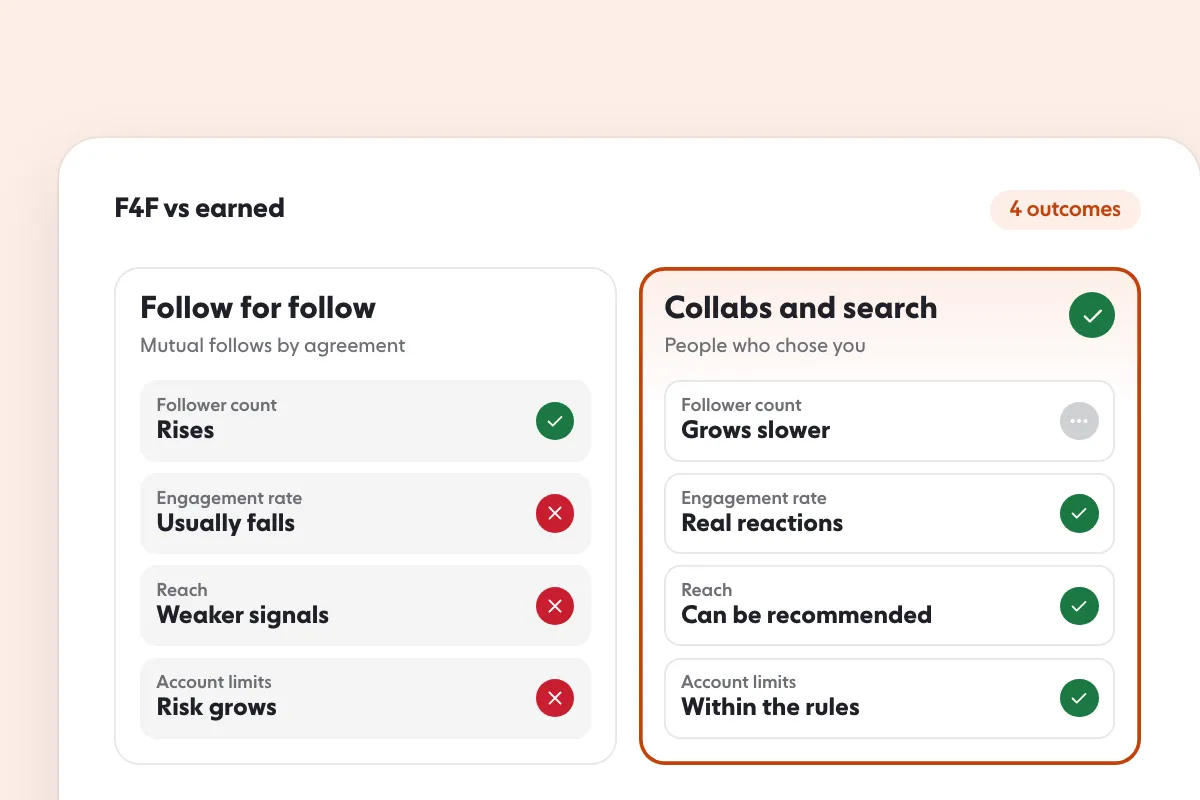
3. The shortcuts put the account at risk. Instagram’s help page on data scraping lists “You may have provided your username and password to a third-party app or website (like apps that offer likes or followers on Instagram)” as a reason it restricts accounts. That page is about passwords and apps, but Meta’s spam standard goes further: it does not allow “selling, buying, or exchanging for engagement, such as likes, shares, views, follows, clicks”, or engaging “either manually or automatically, at very high frequencies”. See follow for follow on Instagram before relying on it, and Instagram bots for what automation puts at risk.
Which route should you pick first?
| If this describes you | Start with | Why |
|---|---|---|
| New account, no posts, no budget | Profile text, then contacts | Free, and both help people who already look for you |
| You know people in your niche | Ask for a Collab invite after you have one post | A Collab can reach their audience |
| You have one old post and a budget | Boost that post | The only route that reaches strangers on purpose |
| You will never post | Profile text and contacts only | Everything else needs content |
| You want a lot of followers quickly | Make content, even a little | Every route above has a ceiling |
What is the honest answer?
You can get your first followers without posting, and most of them will be people who already know you. Beyond that, followers follow content. If posting is the blocker, the smallest useful step is a few posts on one topic, so a visitor knows what the account is. Instagram’s monetization rules also say creators need “an authentic, established presence on Instagram”, so an account that cannot show one may not qualify for the earning tools.
Those same rules say creators and publishers may not engage in behavior that “artificially boosts or amplifies followers, views or engagement for the purpose of generating more revenue”, and may lose the ability to monetize if their audience significantly consists of fake engagement. That is the reason an audience of bots does not help: it does not see or care about the account.
If you want followers who are real people matched to your niche, country and language while you build the content, that is what our Instagram followers service is for, and pricing lists the plans.
FAQ
Can you get followers on Instagram without posting?
A few, yes. People can find you through your name and bio in search, through account suggestions, through contacts, through a Collab you accept, and through ads on a post you already have. Instagram’s recommendations show content, though, so an account with nothing posted has little to recommend.
How do I get followers on Instagram with no posts?
Make the profile findable first: a clear name, username and bio, because Instagram’s search weighs words in the username and profile name. Connect your contacts so people you know can find you, and keep account suggestions on so you can appear on similar profiles.
Does Instagram suggest accounts that haven’t posted?
Instagram’s pages describe suggestions such as mutual friends, other people you might know and accounts recommended from your contacts. They do not say whether an empty account is eligible. When someone follows an account, Instagram shows suggestions of similar profiles, and turning that setting off removes you from other people’s suggestions.
Can I use ads to get followers without posting?
Ads need content. Instagram’s boost options work on feed posts, reels, stories and partner content from a professional account, so you need at least one existing post to promote.
Is follow for follow a way to get followers without posting?
It can bring a few people, but Meta’s spam standard does not allow exchanging for engagement such as follows, or engaging at very high frequencies, by hand or by tool. Instagram’s help pages also warn that apps offering likes or followers in exchange for your username and password can get an account restricted.
Should I buy followers if I don’t want to post?
An audience of people who do not see or care about the account does not help. Instagram’s monetization rules say fake engagement can cost a creator the ability to monetize. Real followers matched to your niche are the version that holds.
Sources
- Instagram Search transparency.meta.com
- Turn off account suggestions for your Instagram profile help.instagram.com
- Find people you might like to follow on Instagram help.instagram.com
- Why Instagram asks for your email address or mobile phone number and how they're used help.instagram.com
- Instagram Reels Tips & Tricks: Create Engaging Videos about.instagram.com
- Ways to advertise on Instagram help.instagram.com
- Why your account has been restricted for data scraping and what can you do help.instagram.com
- Instagram Partner Monetization Policies help.instagram.com
- Breaking Down How Instagram Search Works about.instagram.com
- How to change your Instagram profile information help.instagram.com
- Boost a post on Instagram help.instagram.com
- Create collaborative posts on Instagram help.instagram.com
- Mention someone in your Instagram story help.instagram.com
- Add Yours sticker on Instagram help.instagram.com
- Instagram Explore transparency.meta.com
- Spam transparency.meta.com
Related guides
Follower growth
How to Get More Instagram Followers: 12 Tactics That Work
Follower growth
How to Boost a Post on Instagram: 7 Steps and Costs
Follower growth
Follow for Follow on Instagram: Does It Work? 4 Outcomes
Written by Clara Ivens
Instagram growth editor
Clara Ivens covers Instagram growth on the SocialCaptain blog: followers, Reels, hashtags, bios, captions and how reach works. Each guide follows Instagram's own help pages and announcements, and lists its sources at the end.
All articles by Clara Ivens


