Why Is My Instagram Not Growing? 8 Causes and Fixes
Quick answer
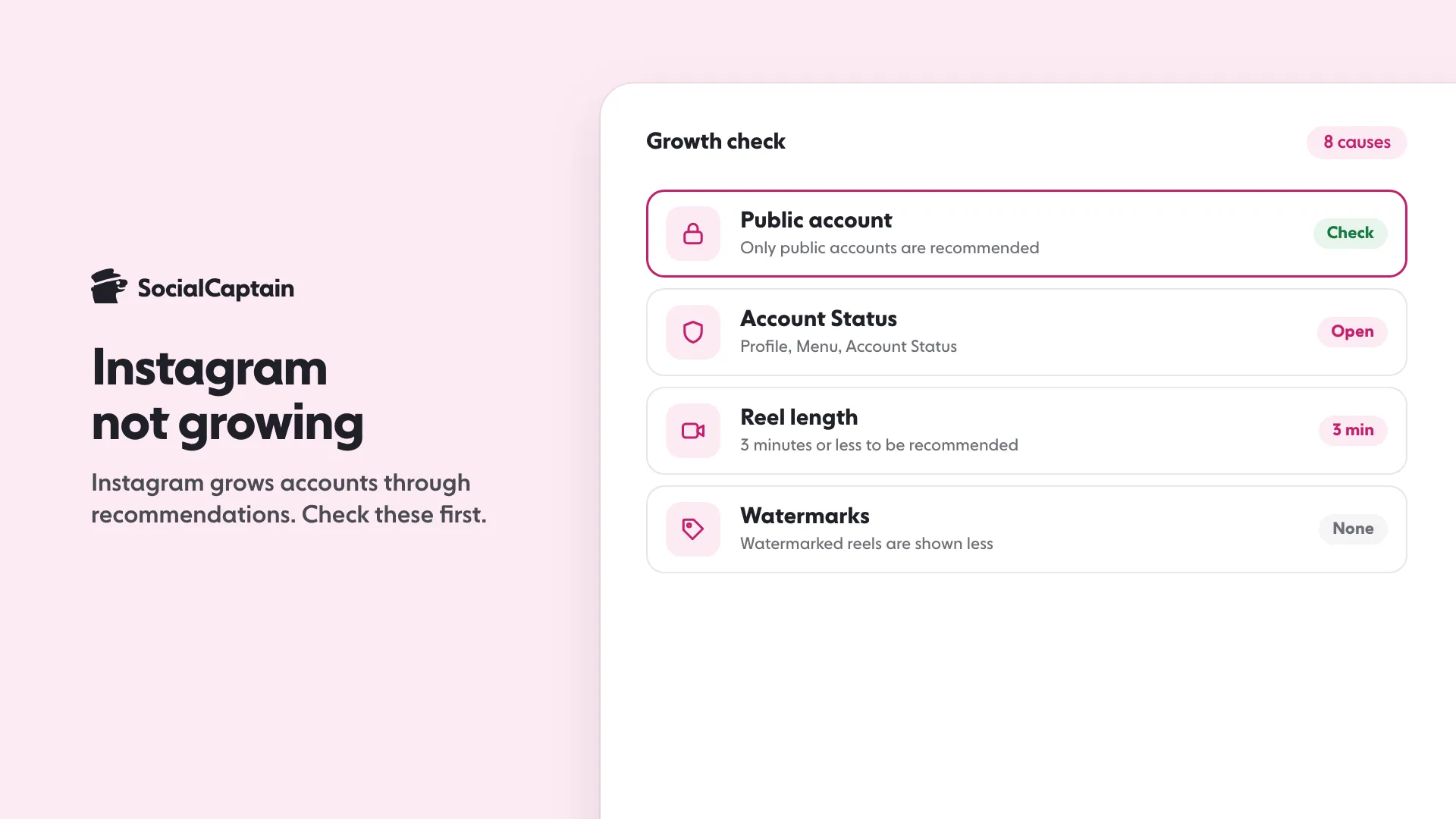
An Instagram account stops growing when new people are not shown its posts. Instagram recommends only public, eligible, original content: check Account Status, remove watermarks and borders, keep reels to 3 minutes or less with a hook in the first 3 seconds.
- Only public accounts are recommended; check Account Status in your profile menu.
- Watermarked, bordered, reposted or unoriginal reels are shown less.
- Reels must be 3 minutes or less to be recommended; hook in 3 seconds.
On this page12 sections
Your Instagram is not growing because new people are not being shown your posts, and on Instagram that comes down to 8 checkable causes: the account is private or ineligible for recommendations, Reels carry watermarks or borders, the content is reposted, new reels lose their first small audience, profile text does not match what people search, posts earn too few shares and saves, Insights are read the wrong way, and the followers added do not react. Instagram’s own pages name each one and give a fix. This guide is a diagnosis by symptom: find the symptom you have, read the cause, apply the fix, then measure again.
If your count used to be higher, read why you are losing Instagram followers instead; that is a different diagnosis.
Why is my Instagram not growing? The short answer
Growth on Instagram mostly comes from people who do not follow you yet, and Instagram decides who sees you through recommendations. Its Reels and Explore surfaces are built from “accounts you don’t follow”, in the words of its ranking explainer, and recommended content must meet a stricter set of rules than content shown to followers. If a post is not recommended, only your existing followers see it, and the follower count has few new people to come from.
So the question to ask is not “what is the algorithm?” Instagram’s own answer is that “Instagram doesn’t have a singular algorithm that oversees what people do and don’t see on the app.” Feed, Stories, Explore, Reels and Search each have their own system, tuned to how people use that part of the app. The practical question is: which surface should be sending strangers to my profile, and what is stopping it?
The table below is the whole guide in one view. Each row is a symptom, its most likely cause according to Instagram, and the first fix.
| Symptom | Likely cause (Instagram’s wording) | First fix |
|---|---|---|
| Views come only from followers | Content or account is not eligible to be recommended | Check Account Status; make the account public |
| Reels reach almost nobody new | Watermark, borders, low resolution, mostly text, or already posted | Re-export clean, vertical, original |
| Reposts or compilations do not travel | Unoriginal content is not recommended | Post what you made, or share to Stories |
| Reels start strong and stop | Viewers leave early | Open within the first 3 seconds; keep it short |
| People cannot find you by searching | Search matches text in names, bio, captions | Put keywords in the profile and caption |
| Followers flat, posts liked only by followers | Engagement comes only from people who already follow you | Make posts worth sharing; use Collabs and trial reels |
| Numbers look flat in Insights | Reading the wrong metric or window | Compare followers with non-followers over 30 or 90 days |
| Followers rise with no real activity | Bought or inactive followers give no signal | Stop, and build real-people reach |
Symptom 1: Only my followers see my posts
Cause: the account or the content is not eligible to be recommended. Instagram says “We only recommend content from public accounts.” If you use a Creator or Business account the setting is public by default; a personal account can be set to private, and then nothing you post can be recommended. Check this before anything else.
The second gate is the Recommendation Guidelines. Instagram says it keeps “a higher standard for what we recommend than what we allow your followers to see”, because recommended content goes to people “who haven’t explicitly indicated they want to see it”. Content that breaks those rules “can still be distributed normally to your followers”, but Instagram tries not to recommend it to non-followers. That is the signature of this symptom: your followers see you, strangers do not.
Instagram’s examples of content that may not be recommended include content that may depict violence such as people fighting, content that promotes certain regulated products such as tobacco or vaping products, and content that may be sexually suggestive. Its Help Center page on recommendations adds that content from accounts that do not meet the guidelines is also left out, and it lists low-quality content such as unoriginal content with only minor edits, and “coordinated comment networks intended to artificially drive engagement and distribution”. The page’s list of account-level reasons includes accounts that “repeatedly engaged in misleading practices to build followings, such as purchasing ‘likes’”.
Instagram also says a whole account can lose eligibility. If you “repeatedly post content that goes against our Recommendation Guidelines or have something in your profile (like your profile photo or bio) that goes against our Recommendation Guidelines, your entire account may become ineligible for recommendation, and none of your content will be recommended for a period of time.” Recent or repeated Community Guidelines violations can do the same.
Fix: open Account Status. In the app, tap your profile picture, tap Menu, and below More info and support tap Account Status. For professional accounts Instagram says it shows whether your content “may be eligible for recommendation to non-followers in places like Explore, Reels and Feed Recommendations”, and, since an April 2023 update, whether your account is eligible to be recommended in places like Search or Suggested Accounts. If something is flagged, it shows a sample of the content or parts of your profile involved, and you can edit or delete the posts or ask the review team to look again if you think they made a mistake.
Instagram’s Help Center page says Account Status is not available on the web app, so check it on your phone. For a longer look at what restricted reach feels like, see Instagram shadowban.
Symptom 2: My reels get views from nobody new
Cause: the reel itself makes Instagram show it less. Instagram’s ranking explainer says it aims to make certain reels less visible for reasons beyond the guidelines: “low-resolution or watermarked reels, reels that are muted or contain borders, reels that are majority text, or reels that have already been posted on Instagram.”
Its creator guidance repeats the technical points as a checklist:
- Use high-resolution, 9 x 16 vertical video with no borders.
- Keep text from covering most of the screen.
- Keep the reel to 3 minutes or less, because its tips page says a reel has to be 3 minutes or less to be recommended.
- Pull the viewer in within the first 3 seconds and keep them interested the whole time.
- Avoid watermarks, blurry footage and other visibly recycled or low-quality content.
Instagram’s January 2025 post on Reels adds context for the length rule. It says reels were previously eligible for recommendation only up to 90 seconds, and that creators in the United States could now publish reels up to 3 minutes, which would then be eligible to be seen by non-followers in places like the Reels tab and Explore. It does not give a percentage that tells you which length performs best, and neither does this guide.
Fix: audit your last 10 reels against the five lines above. A single failed line, such as a visible watermark on a clip exported from another app, is enough to explain weak reach. If many of your reels reuse clips from your own old reels, note that “already posted on Instagram” is on the list too. For a deeper look at weak reel views, see why Instagram Reels get low views.
Symptom 3: My reposts and compilations never travel
Cause: Instagram does not recommend unoriginal content. This is the most documented rule on the list. Instagram’s April 30, 2024 announcement says that “accounts that repeatedly post content from other Instagram users that they didn’t create or enhance in a material way will not be shown in surfaces where we recommend content”. Those accounts “can become eligible for recommendations again after enough time has passed since the last time they posted unoriginal content”. It also says that when it finds two or more identical pieces of content, it will recommend only the original one, which “will directly replace the copied version in recommendations”. Followers of the account that posted the copy still see it, and the copy can carry a label linking to the original creator.
Instagram’s Help Center page on original content is plain about what counts as a fix: “Simply stitching together clips or adding a watermark does not qualify as materially edited content.” The two fixes it recommends are to post content you created yourself (or with approved partners), and, if you want to share other accounts’ reels without material edits, to repost to followers or share to Stories, which keeps credit with the original creator.
Instagram says it replaces copies only when “we are confident that content is a match based on audio and visual signals”, and that it will not replace content “narrated with a new voiceover or remixed to express a reaction”. It does not publish the share of accounts affected.
Fix: make the content yours. Film it, narrate it, add a real point of view, or credit and collaborate. Instagram’s Collabs feature creates a single post shared to both creators’ followers, and its tips page points to Collabs as a way to reach another audience. See Instagram collab posts for the steps.
Symptom 4: Reels start well, then die in the first batch
Cause: new content is tested on a small audience first, and a weak first batch ends the test. Instagram describes the system in its 2024 post. Previously, reels in recommendation surfaces “were ranked primarily based on how an account’s followers engaged with them”, so the largest accounts often saw the most reach. Now, every eligible piece of content is shown to a small audience “that we think will enjoy it, regardless of whether they follow the account that posted it or not”. As that audience engages, “the top performing set of reels are shown to a slightly wider audience, then the best of these are shown to an even wider group, and so on.”
For you, that means a reel does not need a large following to start. It does need a good first batch. Instagram’s ranking explainer says the most important predictions for Reels are “how likely you are to reshare a reel, watch a reel all the way through, like it, and go to the audio page”. The Help Center’s feed-recommendation page, last updated June 29, 2026, lists many input signals and states that it does not rank one above the others; models change frequently. One listed signal counts how many times others have scrolled to the next post after viewing this post. Another counts how many times the author’s profile was clicked after people viewed the post.
Read together, those pages say three things you can act on: finish-watching, resharing and liking matter for Reels, a profile visit after watching is a signal, and the number of people who scroll on to the next post after yours is a listed signal too. Instagram does not publish weights for any of them.
Fix: shorten and front-load. Put the point in the first 3 seconds, cut anything that does not earn its place, and ask yourself whether you would send the reel to a friend. If you want to test an idea without risking your follower experience, use trial reels. Instagram says trial reels “will be shown to non-followers first”, do not appear in your followers’ Feed or Reels tab, and show key engagement numbers, including views, likes, comments and shares, about 24 hours after sharing. You can then share a good one with everyone, or choose to have Instagram share it automatically if it performs well on views within the first 72 hours. See Instagram trial reels for the setup.
Symptom 5: Nobody finds my profile when they search
Cause: Search matches text. Instagram’s search system page, updated June 23, 2026, says results are scored on how well they match the query. Among the signals it lists for accounts are “the similarity between the words used in your search and those in the account’s username or profile name”. For hashtags it lists how often a hashtag is clicked by people running the same search in their country, and the similarity between the typed words and the hashtag. Instagram’s creator guidance gives the practical version: use a handle or profile name related to what you post, put keywords about who you are in your bio, and use relevant keywords and hashtags in captions, “not the comments”.
Fix: rewrite the three searchable places. Make the name field say what the account is about in the words a stranger would type, make the bio say who it is for, and put the topic words in the caption. Our guide on where to put hashtags on Instagram covers the caption rule and the 5-hashtag cap.
Symptom 6: Followers and likes are flat, and only my followers react
Cause: the post is not giving strangers a reason to act. On Explore, Instagram says the most important actions it predicts are likes, saves and shares, and that popularity signals, “how many and how quickly other people are liking, commenting, sharing, and saving a post”, “matter much more in Explore than they do in Feed or in Stories”. In Feed, the five interactions it looks at most closely are how likely you are to spend a few seconds on a post, comment, like, share and tap the profile photo. The more likely an action and the more heavily it is weighted, the higher the post is shown.
Instagram’s 2024 recommendations post also lists content that users broadly tell it they dislike, such as clickbait or engagement bait, among the categories that may not be eligible for recommendations. Asking for likes with a trick is not a growth plan.
Fix: make posts worth sharing, not just worth liking. A post that people send to a friend or save for later gives the ranking system an action Instagram names. A clear tip someone will want to keep, a before and after, or a joke a friend will recognise all fit. Use Favorites too: Instagram says people who add you to Favorites will see your content higher in their feeds, so ask your most active followers to do it, and keep in mind that this helps people who already follow you.
Symptom 7: I look at Insights and see no pattern
Cause: reading the wrong number or window. Instagram’s Insights overview shows Views, Interactions, New followers and Content you shared. It gives presets and custom timeframes within the past 90 days. For posts, stories and Instagram Live, the Accounts engaged metric can be split into followers and non-followers. It also says audience demographics need preset timeframes and more than 100 accounts reached, and that the Total followers insights, including growth in followers gained or lost, top locations, age range and most active times, need at least 100 followers. Instagram labels some of these metrics “estimated and in-development”, so treat small changes carefully.
The symptom to look for is the split. If the non-follower share of views or engaged accounts is close to zero for months, the problem is symptom 1 or 2, not your posting time.
Fix: use a 30-day and a 90-day view and compare. Write down, for each of your last 10 posts, whether strangers engaged. Then count how many of the 10 follow the rules in this guide. The match is your diagnosis. For the metrics and where to find them, see Instagram Insights, and to check your own rate use the free Instagram engagement rate calculator.
Symptom 8: My follower count rises, but nothing else moves
Cause: the followers are not reacting. Instagram’s recommendation rules say it tries not to recommend accounts that repeatedly engaged in misleading practices to build followings, such as purchasing likes. Beyond that rule, there is a logic problem: each prediction Instagram makes is about a person’s likelihood to act. A follower who never sees or reacts to your posts gives the ranking system nothing to work with, and a post shown to them reaches the wrong people. This part is our reading of Instagram’s system, not a quote from Instagram.
The honest alternative is growth from real people who match your niche, country and language, because they are the people who will like, share and save your posts. That is what the Instagram followers service builds, as part of an Instagram growth service, and the pricing page lists the plans.
Fix: stop counting followers alone. Judge growth by non-follower views, shares and profile visits from Symptom 7, and fix content first. A service can add real people to a profile; it cannot make a post worth sharing.
What should you do first? A 5-step check
Run these in order. Each takes minutes, and each rules a cause in or out.
- Account Status. Profile, Menu, Account Status. Is anything flagged, for content or for the profile itself?
- Privacy. Is the account public? Only public accounts are recommended.
- Originality. Is every recent reel yours, with no watermark and no borders?
- Format. Vertical 9 x 16, 3 minutes or less, with a hook in the first 3 seconds.
- Search text. Does your name, bio and caption contain the words a new person would type?
If the first four are clear, test the content. Post three reels built around one idea each, then compare their non-follower views in Insights. Trial reels are the lowest-risk way to do that.
Instagram’s own advice is to post original content consistently, which is a different instruction from posting more of the same. For a full plan after you fix the blockers, read our guide to how to get more Instagram followers and how to increase Instagram reach.
FAQ
Why is my Instagram not growing even though I post every day?
Instagram does not rank by how often you post. It ranks each post on predicted actions such as likes, shares, saves and comments, and recommends only content from public, eligible accounts. Posting daily with unoriginal, watermarked or flat content gives the system little to work with. Check Account Status and your non-follower views first.
Why are my Instagram followers not increasing?
Followers come mostly from people who do not follow you yet, so growth depends on being recommended in Reels, Explore, Feed recommendations and Search. The usual blocks are a private account, an account that is ineligible for recommendations, reposted content and profile text that search cannot match.
How do I know if my Instagram is limited from growing?
Tap your profile picture, tap Menu, and below More info and support tap Account Status. For professional accounts it shows whether your content can be recommended to non-followers in places like Explore, Reels and Feed recommendations, and whether the account can be recommended in Search and Suggested Accounts.
How long does it take for an Instagram account to start growing?
Instagram publishes no timeline. What it does state is that every eligible reel is first shown to a small audience, and only the best performers go to a wider one. So a single reel can be judged within its first batches of viewers, but how many reels you need is not something Instagram gives a number for.
Does buying followers help an Instagram account grow?
No. Instagram’s recommendation rules say it tries not to recommend accounts that repeatedly engaged in misleading practices to build followings, such as purchasing likes. Followers who never see or react to your posts also give the ranking system nothing to learn from.
Should I delete old posts to fix a stalled account?
Only if Account Status points to them. It can show a sample of content that may go against the Recommendation Guidelines, and you can edit or delete those posts or ask for a review. Deleting posts that follow the rules does not improve your reach.
Sources
- Instagram Ranking Explained about.instagram.com
- Instagram Feed Recommendations transparency.meta.com
- Instagram Search transparency.meta.com
- Tips for Improving Your Reach creators.instagram.com
- Recommendations on Instagram: What Creators Need to Know creators.instagram.com
- Helping Creators Find New Audiences creators.instagram.com
- Finding success on reels in 2025 creators.instagram.com
- Trial reels: Try content with non-followers first to see what performs best creators.instagram.com
- Recommendations on Instagram help.instagram.com
- About original content on Instagram help.instagram.com
- About Instagram insights help.instagram.com
- Check your Account Status on Instagram help.instagram.com
Related guides
Follower growth
How to Get More Instagram Followers: 12 Tactics That Work
Follower growth
Why Am I Losing Instagram Followers? 9 Causes and Fixes
Algorithm and reach
How to Increase Instagram Reach: 10 Fixes for Low Reach
Written by Clara Ivens
Instagram growth editor
Clara Ivens covers Instagram growth on the SocialCaptain blog: followers, Reels, hashtags, bios, captions and how reach works. Each guide follows Instagram's own help pages and announcements, and lists its sources at the end.
All articles by Clara Ivens


